
 GW-BASIC
 Reference
GW-BASIC
(or GWBASIC)Portions copyright Wikipedia, the free encyclopaedia
GW-BASIC is compatible with Microsoft/IBM BASICA, but was disk based and did not require the ROM BASIC.
Microsoft bundled GW-BASIC with MS-DOS operating systems on IBM PC compatibles.
Microsoft also sold a BASIC compiler, BASCOM, compatible with GW-BASIC, for applications requiring more speed.
The language was suitable for simple games, business programs and the like.
Since it was included with most versions of MS-DOS, it was also an inexpensive way for many would-be programmers to learn the fundamentals of computer programming.
With the release of MS-DOS 5.0, QBasic,
a cut-down version of the separately available QuickBASIC
compiler, took eventually GW-BASIC's place.
Downloads
Facts
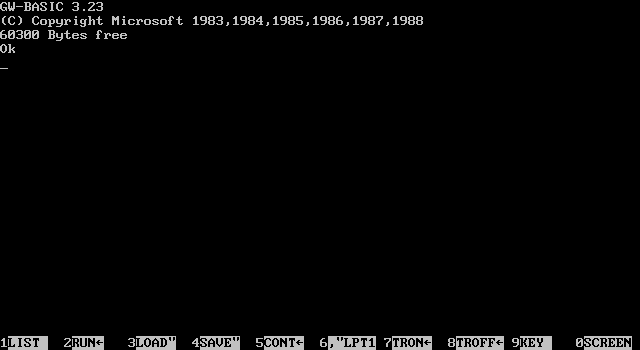
Appeared in 1983
Developer: Microsoft (for Compaq)
Latest release: 3.23/1988
Paradigm: Imperative, high-level
Influenced by IBM Cassette BASIC,
IBM Disk BASIC,
IBM BASICA
Influenced: QBasic,
QuickBasic
OS: DOS
Syntax
 Example:
  10 CLS
  20 PRINT "Hello, world!"
  30 END
GW-BASIC has a command line-based Integrated Development Environment
(IDE) based on Dartmouth BASIC.
It also includes function key shortcuts at the bottom of the screen.
Like other early microcomputer versions of BASIC, GW-BASIC lacked many of the structures needed for
structured programming such as local variables, and GW-BASIC programs executed relatively slowly,
due to the fact that it was an interpreted programming language.
All program lines must be numbered, all nonnumbered lines are considered to be commands in direct mode to be executed immediately.
The format of program source files is normally binary compressed with tokens replacing commands, or optionally ASCII text form.
The GW-BASIC command-line environment has commands to RUN, LOAD, SAVE,
LIST the current program, or quit to the operating SYSTEM;
you can use these commands also as program statements.
There is little support for structured programming in GW-BASIC.
All IF/THEN/ELSE conditional statements must be written on one line, although WHILE/WEND
statements may group multiple lines.
Functions can only be defined using the single line DEF FNf(x)='mathematical function of x' statement
(e.g., DEF FNLOG(base,number) = LOG(number) / LOG(base)).
The data type of Variables can be specified with a character at the end of the variable name: A$ is a string
of characters, A% is an integer, etc.
Groups of variables can also be set to default types based on the initial letter of their name by using the DEFINT, DEFSTR, etc., statements.
The default type for undeclared variables not identified by such typing statements, is single-precision floating-point.
GW-BASIC allowed for the joysticks, mice and light pen input devices of its time.
GW-BASIC can read from and write to files and COM ports; it can also do event trapping for ports.
Since the cassette port interface of the original IBM PC was never implemented on compatibles, cassette operations are not supported.
GW-BASIC is able to play simple music using the PLAY statement, requiring a string of notes represented in a music macro language
(e.g. PLAY "edcdeee2dfedc4").
More low-level control is possible with the SOUND statement,
which takes the arguments of a hertz frequency and a length in clock ticks played through the standard internal PC speaker in IBM machines.
Consequently sound is limited to single channel beeps and whistles as befits a 'business' machine.
Home based PCs such as the Tandy 1000, allowed up to three channels of sound for the SOUND and PLAY commands.
Downloads:
|
References:
|
|
Template
A well programmed GW-Basic program is made of the following parts:
- Intro: program name, programmer, version, description
- Variables and declarations
- Main routine
- Subroutines
- Exit routines
Name
There are several theories on what the initials "GW" stand for. Greg Whitten, an early Microsoft employee who developed the standards in the company's BASIC compiler line, says Bill Gates picked the name GW-BASIC. Whitten refers to it as Gee-Whiz BASIC and is unsure if Gates named the program after him. The Microsoft User Manual from Microsoft Press also refers to it by this name. It may have also been nicknamed Gee-Whiz because it had a large number of graphics commands. Other common theories as to the abbreviation origins include "Graphics and Windows", "Gates, William" (Microsoft's president at the time), or "Gates-Whitten" (the two main designers of the program).
Utilities
- GW2QB 1.004 - GW-BASIC to QBasic Converter for Windows
- GW2QB 0.65 - GW-BASIC to QBasic Converter
- RB58 - converts interpreted GW-BASIC files to ASCII format files
 GW2ASC 1.02 for Windows - GW-BASIC Binary to ASCII source code converter
- GW2ASC 0.10 - GW-BASIC Binary to ASCII source code converter
- UNPBASIC - removes the protection from GW-BASIC files
- UNPBASIC - Unprotects and De-tokenizes old GWBasic Protected Programs
- UNPBASIC - DOS (Assembly) - Unprotect encrypted GWBASIC programs in DOS
- GWUP07 - encrypt or decrypt interpreter GW-BASIC files
- BASCOM - IBM Basic Compiler 2.00
- APRICOT-BASCOM - Apricot GW-Basic Compiler 2.01
Documentation
- BASIC Lessons - Demo Programs
- BASICTUT - GW-BASIC Shareware tutorial from Cascoly Software
- GW-BASIC tokenised program format - for Programmers
-
If you run GW-BASIC in a DOS box under Windows XP and
GW-BASIC is not displayed correctly, type the following at the DOS prompt:
MODE CON COLS=80 LINES=25 -
at the DOS prompt type:
ECHO statements | GWBASIC
and GW-BASIC executes the statements and returns to DOS.
For more information about Redirection and Piping in MS-DOS / PC-DOS
download DOS_PIPE from Jan van Hulten.
Source Code
- Browse GWFILES
- Browse GW-GAMES
- GWFILES - 622 GW-BASIC programs
- GW-GAMES - 97 GW-BASIC games
- CLOCK - 2 Clock programs
Versions
- (Sanyo) Basic [MS-DOS] 1.1 - (1983/10/12) Keywords Manual
- (Sanyo) Basic [MS-DOS] 1.35 - (1985/03/27)
- Tandy Model 100 Basic 01.03.00 - 1982
- Compaq Personal Computer Basic 1.12 - 1982 Sample Code
- Compaq Personal Computer Basic 1.13 - 1983 Sample Code
- Compaq Personal Computer Basic 1.14 - 1983
- Compaq Personal Computer Basic 2.11 - 1984
- Compaq Personal Computer Basic 3.00 - 1985
- Compaq Personal Computer Basic 3.10 - 1985
- Compaq Personal Computer Basic 3.11 - 1985
- Compaq Personal Computer Basic 3.20 - 1987
- Compaq Personal Computer Basic 3.31 - 1987
- Dynalogic Hyperion Basica 1.01c - 1982
- Columbia Data Products Basica 1.90 - 1983
- Eagle Basica 1.33 - 1984
- ITT XTRA Basica 2.00 - 1985
- IBM Personal Computer Basic A1.00 - 1981
- IBM Personal Computer Basic D1.00 - 1981
- IBM Personal Computer Basic A1.10 - 1982
- IBM Personal Computer Basic D1.10 - 1982
- IBM Personal Computer Basic A2.00 - 1983
- IBM Personal Computer Basic D2.00 - 1983
- IBM Personal Computer Basic A2.10 - 1983
- IBM Personal Computer Basic D2.10 - 1983
- IBM Personal Computer Basic A3.00 - 1984
- IBM Personal Computer Basic D3.00 - 1984
- IBM Personal Computer Basic A3.30 - 1987
- IBM Personal Computer Basic A3.31 - 1987
- IBM Personal Computer Basic A3.40 - 1987
- Microsoft Basic-86 5.21 - 1981 - 11-Aug-81
- Microsoft Basic-86 5.21 - 1981 - 11-Nov-81
- Microsoft Basic-86 5.21 - 1982 - 12-Feb-82
- Microsoft Basic-86 5.27 - 1982
- Microsoft Basic 5.28 - 1983
- BASICA 3.0 (1985)
GW-BASIC Download:
- GW-BASIC 1.03 HP-150 - 1986
- GW-BASIC 1.12.03 - Corona Data Systems - 1984
- GW-BASIC 2.00 - 1983
- GW-BASIC 2.00 - AT&T - 1984
- GW-BASIC 2.02 - AT&T - 1984
- GW-BASIC 2.01 - 1984
- GW-BASIC 2.01 - Olivetti - 1984
- GW-BASIC 2.01 - Televideo - 1984
- GW-BASIC 2.02 - Bondwell - 1986
- GW-BASIC 2.02 - Commodore - 1985
- GW-BASIC 2.02 - Kaypro - 1984
- GW-BASIC 2.02 - Phoenix - 1984
- GW-BASIC 2.02 - Seiko Epson - 1985
- GW-BASIC 2.02 - Tandy 1000 - 1984
- GW-BASIC 2.02 - Victor BASIC - 1986
- GW-BASIC 3.20 - 1986
- GW-BASIC 3.20 Spanish - 1986
- GW-BASIC 3.20 - Olivetti - 1986
- GW-BASIC 3.20 - Tandy - 1986
- GW-BASIC 3.21 - IBM - 1987
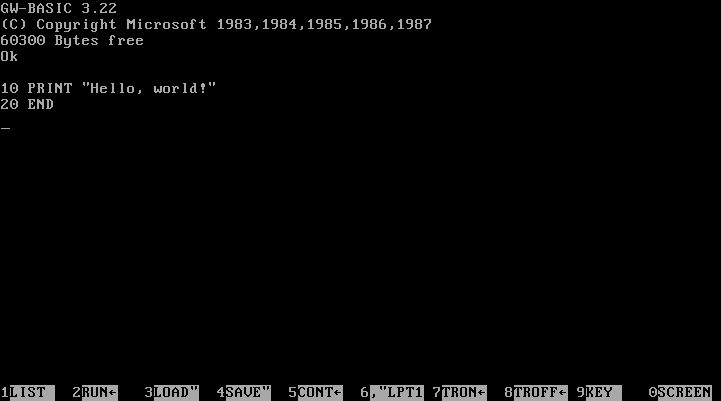
- GW-BASIC 3.22 - 1987
- GW-BASIC 3.22 German - 1987
- GW-BASIC 3.22 Spanish - 1987
- GW-BASIC 3.22 - Olivetti - 1987
- GW-BASIC 3.22 - Zenith - 1986
- GW-BASIC 3.23 - 1988
- GW-BASIC 3.23 Italian - 1988
Windows 7, 8, 8.1, 10 and 11
GW-Basic is still used on modern Windows:
- Download DOSBox
- Install DOSBox
- Download GW-BASIC
- Unzip GW-BASIC in a new folder (for instance c:\gwbasic)
- Run DOSBox
- Type 'mount c c:\gwbasic'
- Type 'c:'
- Type 'gwbasic'
An alternative is PC-Basic, a free, cross-platform emulator for the GW-BASIC family of interpreters.
This is a Windows program without the need of DOSBox and has a large screen.
Get it here.
Frequently Asked Questions
- Can I run GW-BASIC on Windows 11?
Yes. You can use DOSBox or PC-BASIC to emulate the environment easily (See above).
- Is GW-BASIC still in use today?
GW-BASIC is old and not used much today. It was a popular programming language in the 1980s and early 1990s for MS-DOS computers. Today, newer and better languages have replaced it. However, some hobbyists still try it for fun or learning. They often run it on special programs called emulators or on old computers.
- Does GW-BASIC work on Windows 10?
Yes (See above).
- What do you mean by QBasic?
QBasic is a simple programming language made for beginners, created by Microsoft. It is a better and more modern version of GW-BASIC. It has an easy-to-use design, a built-in editor, and tools to find and fix mistakes.